> ## Documentation Index
> Fetch the complete documentation index at: https://platform.kimi.ai/docs/llms.txt
> Use this file to discover all available pages before exploring further.
# Use Kimi in Cline
This guide explains how to use the Kimi K2.7 Code model in the Cline extension for VS Code.
> [Cline](https://cline.bot/) is an AI programming extension for VS Code. Its configuration options and supported capabilities may change across Cline versions. This guide is based on the official Kimi API calling method and describes a general integration approach: forwarding Cline model requests to the Kimi API through the Moonshot provider.
## Install Cline
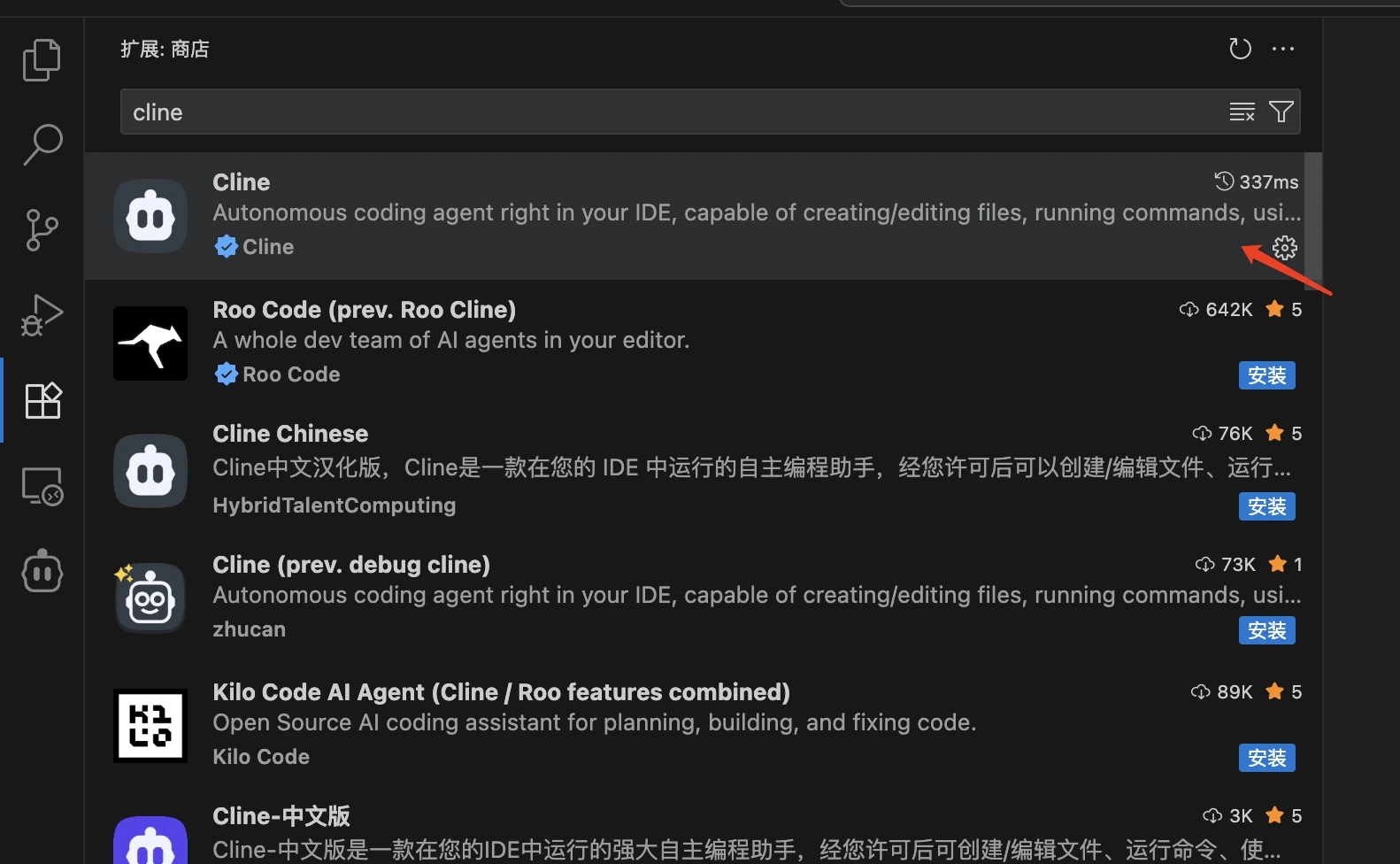
1. Open VS Code.
2. Click the Extensions icon in the left activity bar, or use the shortcut `Ctrl+Shift+X` / `Cmd+Shift+X`.
3. Enter `cline` in the search box.
4. Find the `Cline` extension, usually published by Cline Team.
5. Click the `Install` button to install it.
6. After installation, you may need to restart VS Code.
 ## Verify Installation
After installation, you can verify that Cline was installed successfully in either of these ways:
1. Check whether the Cline icon appears in the left activity bar in VS Code.
2. Open the command palette with `Ctrl+Shift+P` / `Cmd+Shift+P` and search for commands related to "Cline".
## Configure The Moonshot Provider
> **Get an API Key**: Visit [Kimi Open Platform](https://platform.kimi.ai/console/api-keys) to create an API key, and choose the default project.
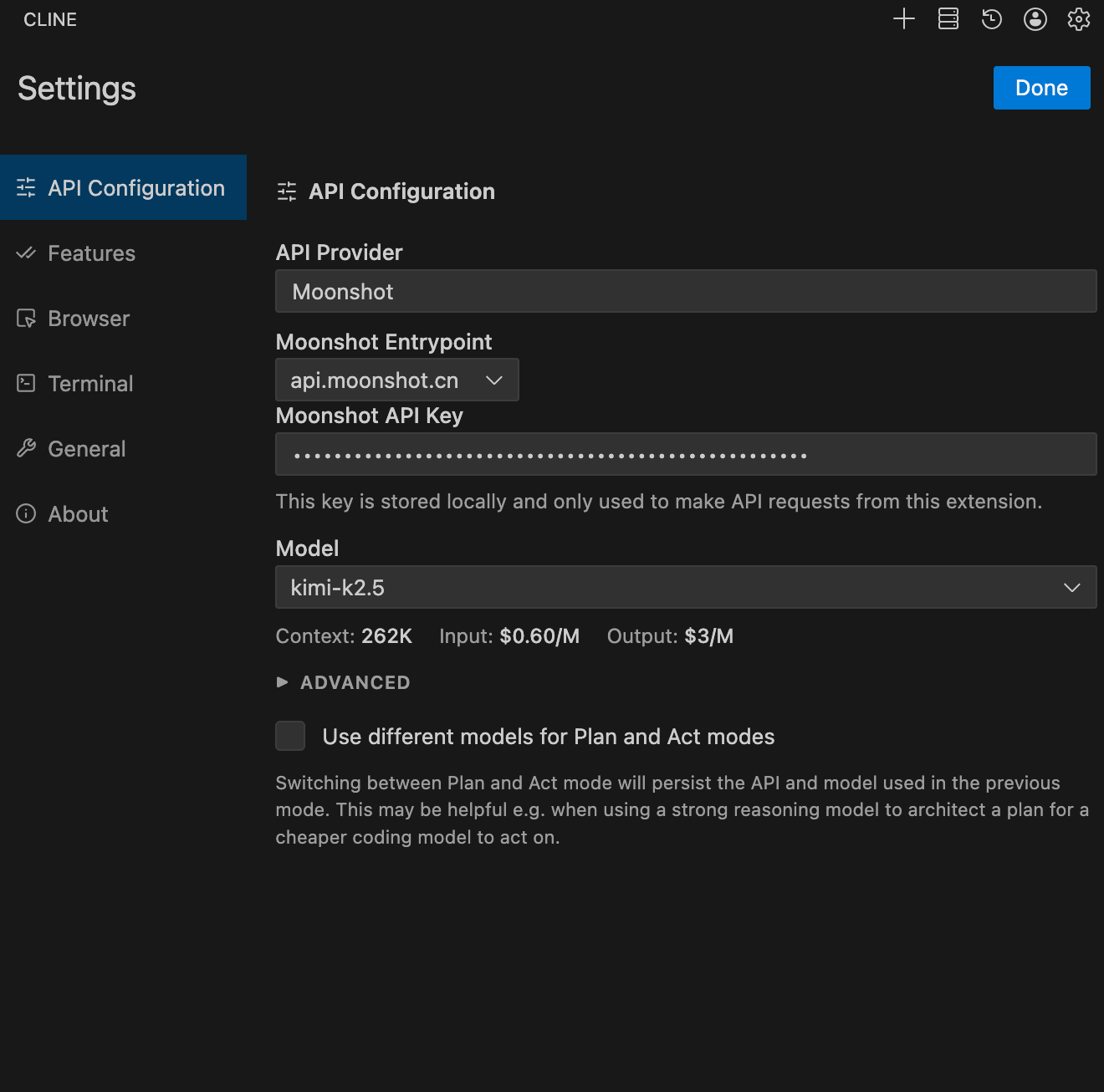
Configure Cline as follows:
* Set API Provider to `Moonshot`.
* Set Moonshot Entrypoint to `api.moonshot.ai`.
* Set Moonshot API Key to the key you obtained from Kimi Open Platform.
* Set Model to `kimi-k2.7-code`.
* Under Browser, select `Disable browser tool usage`.
* Click `Done` to save the configuration.
## Verify Installation
After installation, you can verify that Cline was installed successfully in either of these ways:
1. Check whether the Cline icon appears in the left activity bar in VS Code.
2. Open the command palette with `Ctrl+Shift+P` / `Cmd+Shift+P` and search for commands related to "Cline".
## Configure The Moonshot Provider
> **Get an API Key**: Visit [Kimi Open Platform](https://platform.kimi.ai/console/api-keys) to create an API key, and choose the default project.
Configure Cline as follows:
* Set API Provider to `Moonshot`.
* Set Moonshot Entrypoint to `api.moonshot.ai`.
* Set Moonshot API Key to the key you obtained from Kimi Open Platform.
* Set Model to `kimi-k2.7-code`.
* Under Browser, select `Disable browser tool usage`.
* Click `Done` to save the configuration.