Cline is an AI programming extension for VS Code. Its configuration options and supported capabilities may change across Cline versions. This guide is based on the official Kimi API calling method and describes a general integration approach: forwarding Cline model requests to the Kimi API through the Moonshot provider.
Install Cline
- Open VS Code.
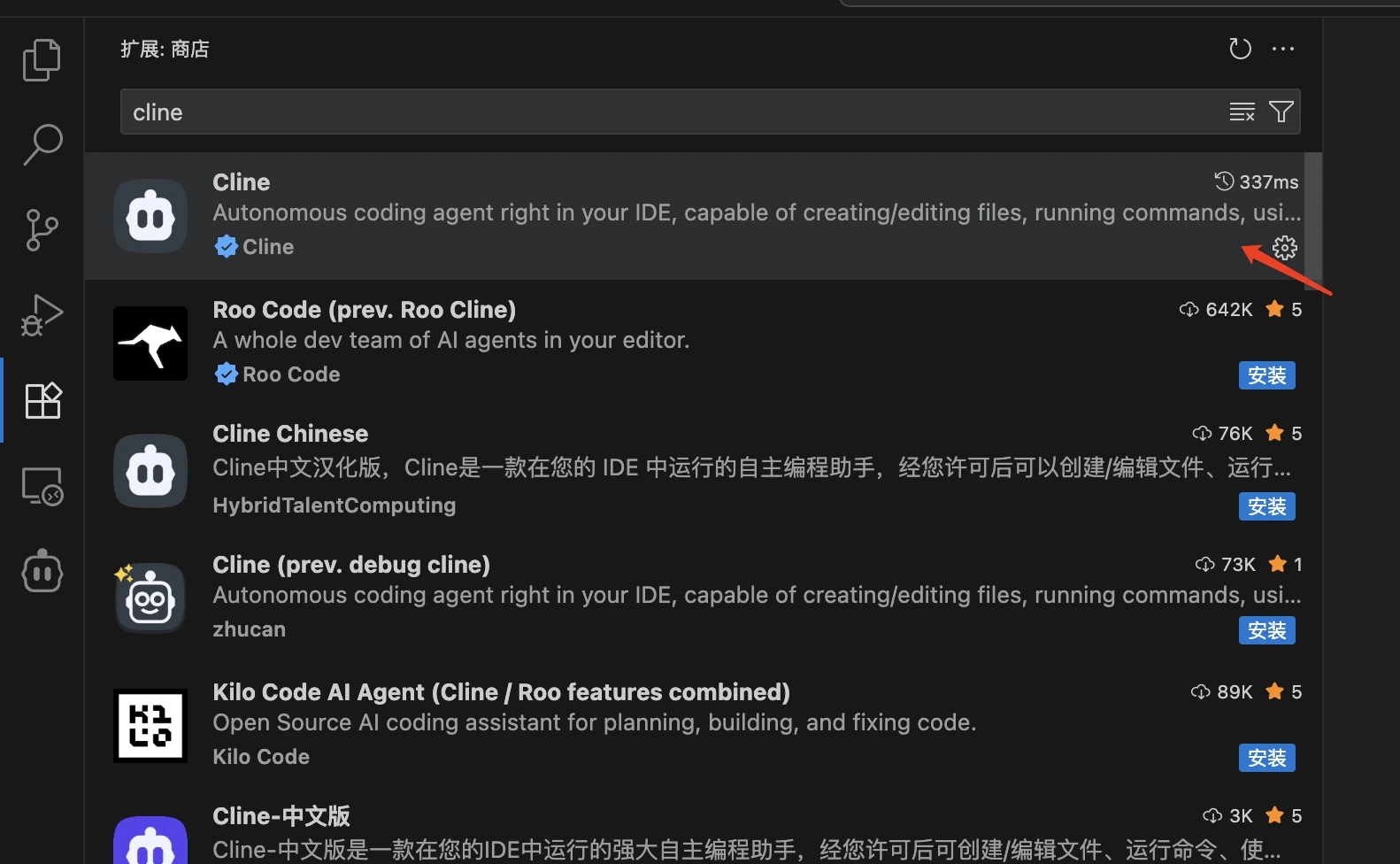
- Click the Extensions icon in the left activity bar, or use the shortcut
Ctrl+Shift+X/Cmd+Shift+X. - Enter
clinein the search box. - Find the
Clineextension, usually published by Cline Team. - Click the
Installbutton to install it. - After installation, you may need to restart VS Code.
Verify Installation
After installation, you can verify that Cline was installed successfully in either of these ways:- Check whether the Cline icon appears in the left activity bar in VS Code.
- Open the command palette with
Ctrl+Shift+P/Cmd+Shift+Pand search for commands related to “Cline”.
Configure The Moonshot Provider
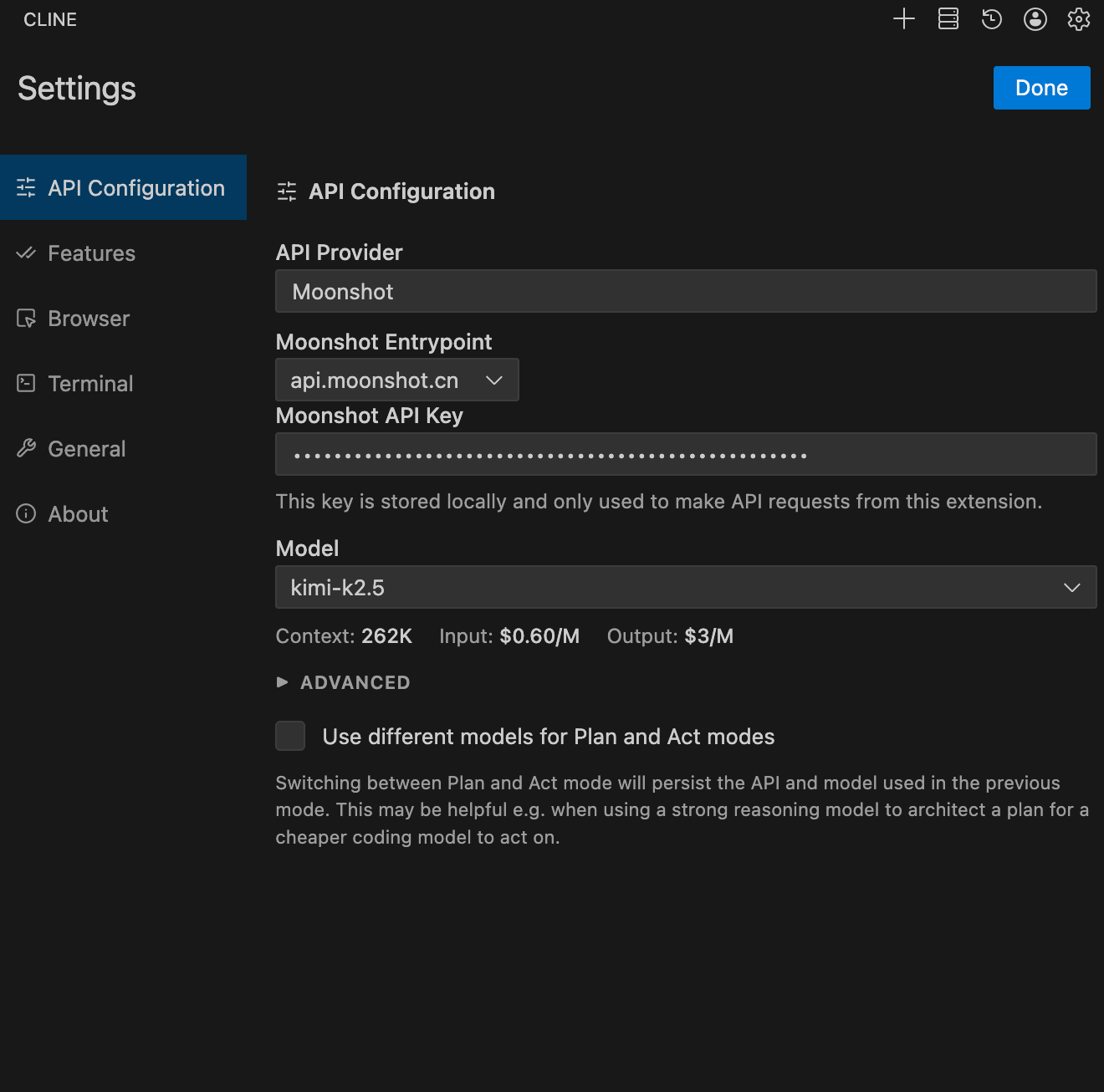
Get an API Key: Visit Kimi Open Platform to create an API key, and choose the default project.Configure Cline as follows:
- Set API Provider to
Moonshot. - Set Moonshot Entrypoint to
api.moonshot.ai. - Set Moonshot API Key to the key you obtained from Kimi Open Platform.
- Set Model to
kimi-k2.7-code. - Under Browser, select
Disable browser tool usage. - Click
Doneto save the configuration.