

kimi-k3 with its 1M-token context window and native visual understanding. The API Base URL in Hermes is https://api.moonshot.ai/v1; the actual Chat Completions endpoint is https://api.moonshot.ai/v1/chat/completions.
The screenshots in this guide use Hermes Agent v0.18.2. Menu labels may change in later releases, but continue to use a Global Kimi Open Platform API key,
kimi-k3, and https://api.moonshot.ai/v1.Prerequisites
Complete these prerequisites before you start. Follow the linked official guides for installation and account setup.Install Hermes Agent
Install or update Hermes Agent with the official instructions.
Create an API key
Create a Global Kimi Open Platform API key and keep it private.
Check account settings
Confirm that the account has available balance, then check limits, budgets, and organization settings.
Step 1: Select the Global Kimi provider and K3
Run the model configuration wizard: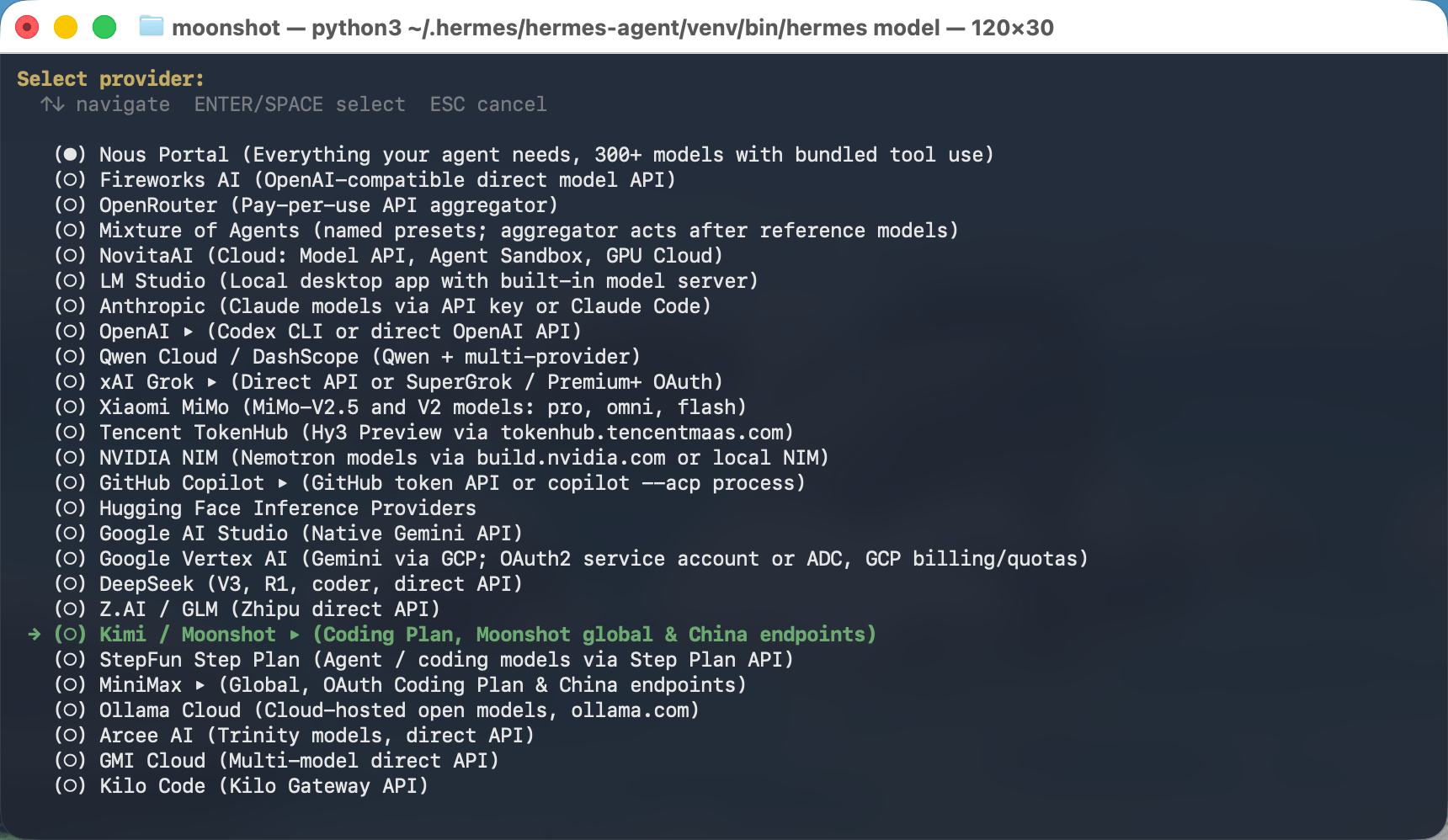
KIMI_API_KEY, paste the key created at platform.kimi.ai; Hermes masks it while you type.
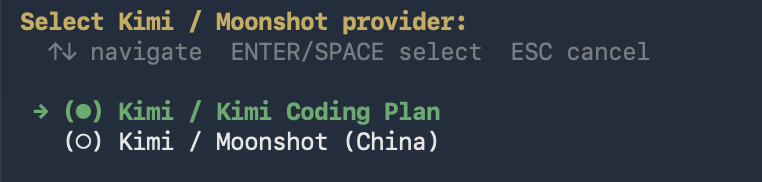
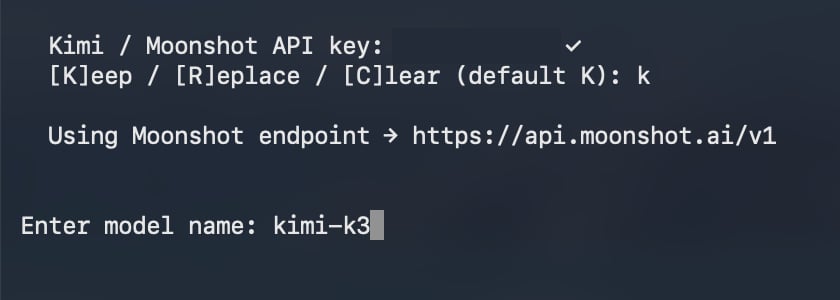
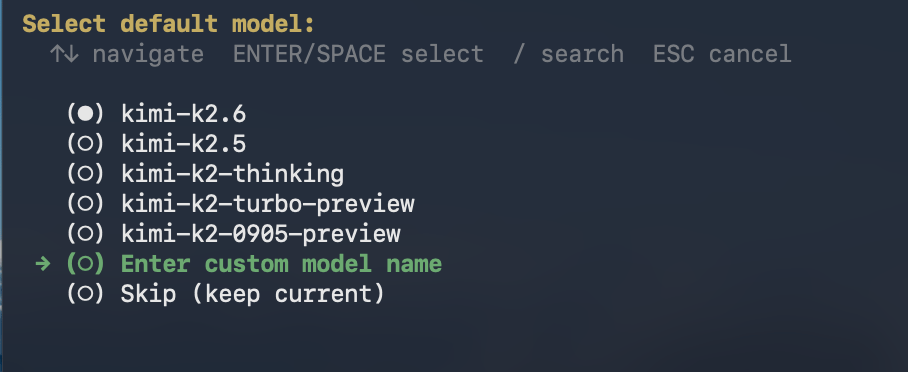
kimi-k3 is not in the model list, select Enter custom model name, then enter kimi-k3. Do not add a moonshot/ prefix.
Step 2: Add the complete K3 configuration
Run:kimi-k3-global item below to the existing custom_providers list, then merge the remaining fields into their corresponding top-level sections. If a top-level section already exists, update its fields instead of creating a duplicate. Preserve unrelated settings and existing custom providers.
reasoning_effort is a top-level Chat Completions request field that supports low, high, and max with max as the default; the examples use max. See the Model Parameter Reference.
Set
base_url to https://api.moonshot.ai/v1 only. Hermes uses an OpenAI-compatible client and appends /chat/completions automatically. Do not put the complete request endpoint in base_url.Step 3: Enable and use the official video tool
Run:video_analyze tool. For a local video, the tool reads the complete file, encodes it as data:video/...;base64,..., and sends it to kimi-k3 in one video_url content block. This path does not extract frames locally with FFmpeg first.
Hermes Agent v0.18.2 supports common formats including MP4, WebM, MOV, AVI, MKV, and MPEG, with an approximately 50 MB Base64 video payload limit. This limit comes from the Hermes client’s video tool hard cap, not from the Kimi API. Trim or compress larger videos before use.
Run the enable command only once. For later video analysis, no additional setup or /video command is required. In a Hermes chat, provide an absolute video path and explicitly ask it to call video_analyze:
Step 4: Start Hermes Agent and use K3
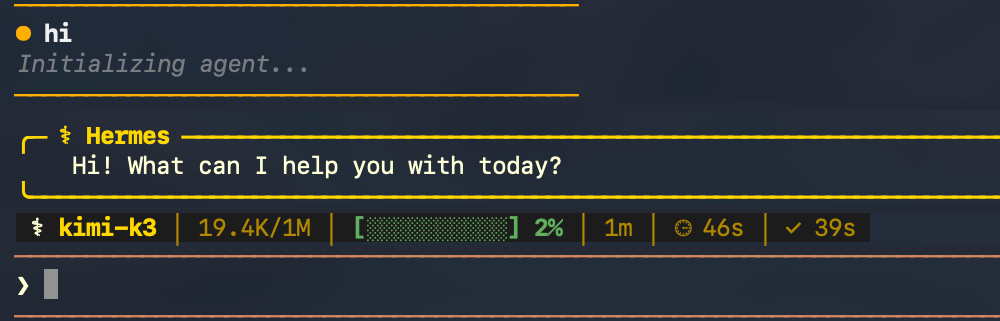
Start a new session so the provider, context, and tool settings are loaded:kimi-k3 and a 1M context window.
Use an image
Attach a local image with an absolute path:/paste, and then enter your question. Hermes sends the image to kimi-k3 as native visual input.
Troubleshooting
kimi-k3 is missing from the model list
Run hermes model again, select Kimi / Moonshot > Kimi / Kimi Coding Plan, then choose Enter custom model name and enter kimi-k3.
Hermes resolves the wrong endpoint
For this guide, Hermes must printUsing Moonshot endpoint → https://api.moonshot.ai/v1. Use an API key created at https://platform.kimi.ai/console/api-keys, then run hermes model again.
The API key is rejected
Re-enter the Global Kimi Open Platform key withhermes model. If your organization uses an IP whitelist, confirm that the caller’s public egress IPv4 address is allowed.
You receive a 429 error
Reduce concurrent requests, wait before retrying, and check the account balance and current rate-limit tier.The video tool is not called
Confirm that you ranhermes tools enable video, explicitly ask Hermes to call video_analyze, and use an absolute local path. The encoded payload must remain below approximately 50 MB.
For more Kimi API guidance, see Troubleshooting.