

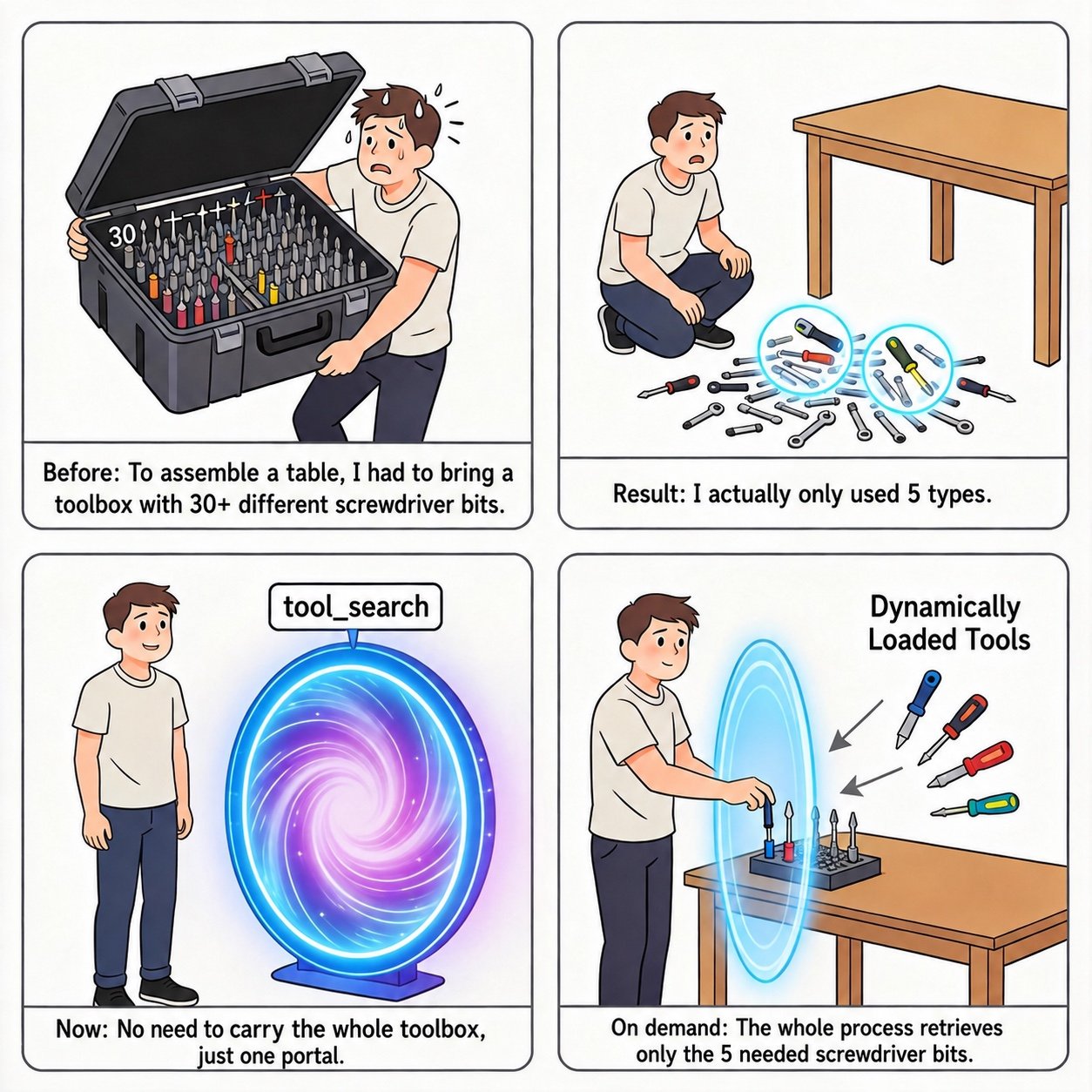
tools field of every request leads to Tool Definition Bloat: every request carries the descriptions and parameter schemas of all tools, driving up token usage, and the more candidate tools there are, the more likely the model picks the wrong tool or constructs invalid call arguments.
Dynamically Loaded Tools let you inject tools on demand during a conversation: start with only a few core tools, and insert additional tools into messages when the conversation actually needs them, which reduces token usage and improves tool-selection accuracy at the same time. Because tool declarations are only ever appended to the end of messages, the existing conversation prefix stays unchanged, so dynamic loading does not break the prefix cache you have already built up and can be combined with Context Caching to further reduce cost and latency. For the reasoning behind this design (lazy loading, tool registry) and combined practices, see Kimi K3 API Tool Calling Best Practices.
Inject tool declarations into messages
Insert a message withrole set to system into messages, and declare the tools to load through that message’s tools field. The declaration format is identical to the top-level tools field of the request, and must contain the complete tool definition (name, description, parameters):
- A
systemmessage carryingtoolshas the same standing as ordinary input messages: the tools become visible to the model starting from the position where the message appears in themessageslist; - Dynamically loaded tools coexist with the global tools declared in the top-level
toolsfield, and the model can see both; - A dynamically injected tool declaration must be a complete tool definition; you cannot pass only a tool name or reference a tool already declared globally.
- curl
- python
Implementing tool search with dynamic loading
There is no dedicated tool-search API. If you have a large tool inventory, you can implement tool search yourself by combining a custom search tool with dynamically loaded tools:- Declare only a single
search_toolsfunction in the top-leveltoolsfield, implemented by your backend, which returns matching tool names and summaries for a given keyword; - In the system prompt, advertise the searchable keywords (e.g. a tool catalog or domain tags) so the model knows to call
search_toolsfirst when it needs a tool; - Based on what
search_toolsreturns, your application inserts the full declarations of the matching tools intomessagesvia asystemmessage carrying atoolsfield; - The model can then call these newly loaded tools in subsequent generations.
Impact on context caching
Dynamically loaded tools can be combined with Context Caching. Context caching works by prefix matching: only the leading portion of the current request that is identical to a previous request can hit the cache, and any change within the prefix invalidates the cache from that point onward. How you inject tool declarations therefore directly determines your cache hit rate. Follow these principles to keep a high hit rate while loading tools on demand:- Append, never insert: always append new tool declarations to the end of
messages. The existing prefix stays unchanged and the established cache is unaffected. Inserting or modifying any message in the middle of the conversation (including an already injected tool declaration) invalidates the cache from that point onward; - Keep injected declarations: dynamic tool declarations apply per request and are not retained by the server. We recommend carrying previously loaded declarations unchanged in subsequent requests, as this keeps the tools available and preserves a stable prefix for consistent cache hits; you may, however, adjust this behavior according to your business requirements. If a declaration is omitted, it ceases to apply, and the model cannot invoke that tool unless it is declared elsewhere. In addition, because
messageshas changed, the prefix following that point may no longer hit the cache; - Pin core tools at the top level and leave them unchanged: declare the tools you need every turn as global tools in the top-level
toolsfield, and keep them unchanged afterwards. Top-level global tool declarations do not affect cache hits, so keeping them stable preserves the effectiveness of the prefix cache. Use dynamic injection only for on-demand tools.
Note that the cache is stored in blocks: any partial block that does not fill a whole block cannot be written to the cache and is billed as a cache miss. See Context Caching for details.
Notes
- Dynamic tool declarations use exactly the same format as global
toolsdeclarations, so you maintain a single schema and migration stays cheap; - A
systemmessage carryingtoolsalso consumes context length, so only inject the tools the current conversation genuinely needs; - Dynamically loaded tools are currently supported only on
kimi-k3; on other models (e.g.kimi-k2.6) the request fails with atokenization failederror; - A
systemmessage carryingtoolsmust not also carry acontentfield, otherwise the request fails with a 400 error (cannot be used with content); with the OpenAI SDK you can pass thetoolsfield through directly inmessages, with noextra_bodyneeded.
Related reading
- Kimi K3 API Tool Calling Best Practices: combined practices for dynamic loading, tool_choice, and reasoning effort
- Tool Choice: constrain the model’s tool-calling behavior with
tool_choice - Use Kimi API for Tool Calls: the complete tool-calling workflow and examples
- Model Parameter Reference: per-model support for parameters such as
tool_choice